
Ultimate Squeeze Page Templates Super Package
Revamp your old squeeze pages with 10 unique and professionally designed templates, complete with PSD sources and ready-to-use HTML files.
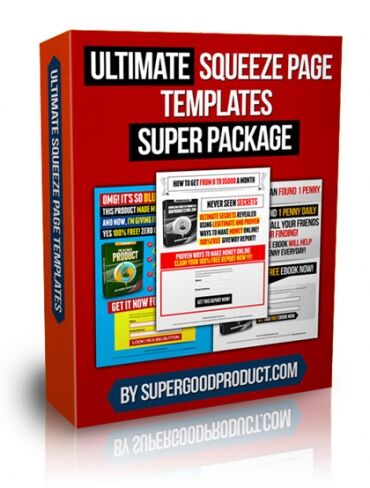
No More Ugly and Obsolete Squeeze Page Designs!
The Ultimate Squeeze Page Templates Super Package offers a remarkable collection of 10 brand new, unique, and mind-blowing squeeze page templates.
Each template is professionally crafted with meticulous attention to detail. The package includes full PSD sources and fully coded HTML files, which are prepared and ready for immediate use.
Terms
- [YES] Can be used for personal use
- [YES] Can be added to shops/memberhips containing more than 500 products
- [NO] Can be sold
- [NO] Can be packaged with other products
- [NO] Can modify/change the sales letter
- [NO] Can modify/change the main product
- [NO] Can modify/change the graphics and ecover
- [NO] Can be added into paid membership websites
- [NO] Can put your name on the sales letter
- [NO] Can be offered as a bonus
- [NO] Can be used to build a list
- [NO] Can print/publish offline
- [NO] Can be given away for free
- [NO] Can be added to free membership websites
- [NO] Can convey and sell Personal Use Rights
- [NO] Can convey and sell Resale Rights
- [NO] Can convey and sell Master Resale Rights
- [NO] Can convey and sell Private Label Rights
- [NO] Can be translated to other languages
Loading preview. Please wait...
- /
-
- UltSqueezePageTempl
- Product Files
- Catchy Sky
- HTML Blank Images
- images
- BG.jpg
- Button.jpg
- Header1.jpg
- Header2.jpg
- Header3.jpg
- Header4.jpg
- OptIn.jpg
- OptInBottom.jpg
- OptInTop.jpg
- css.css
- index.html
- images
- BG.jpg
- Button.jpg
- Header1.jpg
- Header2.jpg
- Header3.jpg
- Header4.jpg
- OptIn.jpg
- OptInBottom.jpg
- OptInTop.jpg
- button.psd
- css.css
- index.html
- layout.psd
- Clean
- HTML Blank Images
- images
- Header.jpg
- Header2.jpg
- Header3.jpg
- OptIn.jpg
- OptInBottom.jpg
- OptInTop.jpg
- button.jpg
- css.css
- index.html
- images
- Header.jpg
- Header2.jpg
- Header3.jpg
- OptIn.jpg
- OptInBottom.jpg
- OptInTop.jpg
- button.jpg
- button.psd
- css.css
- index.html
- layout.psd
- Dark
- HTML Blank Images
- images
- BG.jpg
- Header1.jpg
- Header2.jpg
- OptIn.jpg
- OptInBottom.jpg
- OptInTop.jpg
- button.png
- layout_06.jpg
- css.css
- index.html
- images
- BG.jpg
- Header1.jpg
- Header2.jpg
- OptIn.jpg
- OptInBottom.jpg
- OptInTop.jpg
- button.png
- layout_06.jpg
- button.psd
- css.css
- index.html
- layout.psd
- Fonts
- BebasNeue.otf
- Franchise-Bold.ttf
- Its Red!
- HTML Blank Images
- images
- Header1.jpg
- Header2.jpg
- OptIn.jpg
- OptInBottom.jpg
- OptInTop.jpg
- button.jpg
- layout_06.jpg
- css.css
- index.html
- images
- Header1.jpg
- Header2.jpg
- OptIn.jpg
- OptInBottom.jpg
- OptInTop.jpg
- button.jpg
- layout_06.jpg
- button.psd
- css.css
- index.html
- layout.psd
- Professional
- HTML Blank Images
- images
- BG.jpg
- Header1.jpg
- Header2.jpg
- Header3.jpg
- OptIn.jpg
- OptInBottom.jpg
- OptInTop.jpg
- button.png
- layout_02.jpg
- layout_05.jpg
- layout_09.jpg
- css.css
- index.html
- images
- BG.jpg
- Header1.jpg
- Header2.jpg
- Header3.jpg
- OptIn.jpg
- OptInBottom.jpg
- OptInTop.jpg
- button.png
- layout_02.jpg
- layout_05.jpg
- layout_09.jpg
- BG.psd
- button.psd
- css.css
- index.html
- layout.psd
- So Classic!
- HTML Blank Images
- images
- Header1.jpg
- Header2.jpg
- Header3.jpg
- OptIn.jpg
- OptInBottom.jpg
- OptInTop.jpg
- button.jpg
- layout_07.jpg
- css.css
- index.html
- images
- Header1.jpg
- Header2.jpg
- Header3.jpg
- OptIn.jpg
- OptInBottom.jpg
- OptInTop.jpg
- button.jpg
- layout_07.jpg
- button.psd
- css.css
- index.html
- layout.psd
- So Green
- HTML Blank Images
- images
- BG.jpg
- Header1.jpg
- Header1.png
- Header2.jpg
- Header2.png
- OptIn.jpg
- OptIn.png
- OptInBottom.jpg
- OptInBottom.png
- OptInTop.jpg
- OptInTop.png
- button.png
- layout_06.jpg
- layout_06.png
- css.css
- index.html
- images
- BG.jpg
- Header1.jpg
- Header1.png
- Header2.jpg
- Header2.png
- OptIn.jpg
- OptIn.png
- OptInBottom.jpg
- OptInBottom.png
- OptInTop.jpg
- OptInTop.png
- button.png
- layout_06.jpg
- layout_06.png
- BG.psd
- button.psd
- css.css
- index.html
- layout.psd
- Super Calm
- HTML Blank Images
- images
- Header1.jpg
- Header2.jpg
- OptIn.jpg
- OptInBottom.jpg
- OptInTop.jpg
- button.jpg
- layout_06.jpg
- css.css
- index.html
- images
- Header1.jpg
- Header2.jpg
- OptIn.jpg
- OptInBottom.jpg
- OptInTop.jpg
- button.jpg
- layout_06.jpg
- button.psd
- css.css
- index.html
- layout.psd
- Super Orange
- HTML Blank Images
- images
- Header1.jpg
- Header2.jpg
- Header3.jpg
- OptIn.jpg
- OptInBottom.jpg
- OptInTop.jpg
- button.jpg
- layout_07.jpg
- css.css
- index.html
- images
- Header1.jpg
- Header2.jpg
- Header3.jpg
- OptIn.jpg
- OptInBottom.jpg
- OptInTop.jpg
- button.jpg
- layout_07.jpg
- button.psd
- css.css
- index.html
- layout.psd
- Yappie
- HTML Blank Images
- images
- BG.jpg
- Header1.jpg
- Header2.jpg
- OptIn.jpg
- OptInBottom.jpg
- OptInTop.jpg
- button.png
- layout_06.jpg
- css.css
- index.html
- images
- BG.jpg
- Header1.jpg
- Header2.jpg
- OptIn.jpg
- OptInBottom.jpg
- OptInTop.jpg
- button.png
- layout_06.jpg
- BG.psd
- button.psd
- css.css
- index.html
- layout.psd
- Apply changes to the HTML images Tutorial.pdf
Related Products


